

HTML5 Exporter for Clickteam Fusion 2.5
If you already own Clickteam Fusion 2.5 and want to ship your project to a browser, this add-on is the only official bridge. Just audit your extensions first, or you will be unpleasantly surprised at runtime.
GamerScout Verdict
Only buy this if you are already committed to Clickteam Fusion 2.5 and need browser output with no extension workarounds.
Compare Prices(1 stores)
Every store in this table quotes us in euros, so the EUR figure is the price the seller actually set, not our arithmetic — which is why EUR is also the currency we rank in. We only list an offer here when the store gives us its price in euros, so nothing in this table is a number we invented.
Pick USD, PLN, GBP, CAD or AUD in the header and we convert from EUR at the European Central Bank reference rate — converted amounts are prefixed with ~. Your bank or the store may apply a different rate at checkout. We never hide offers based on where you are: everyone sees this whole table.
We may earn a commission when you buy games through links on this page — at no extra cost to you. It never affects our rankings or verdicts.
Price History
Screenshots & Media
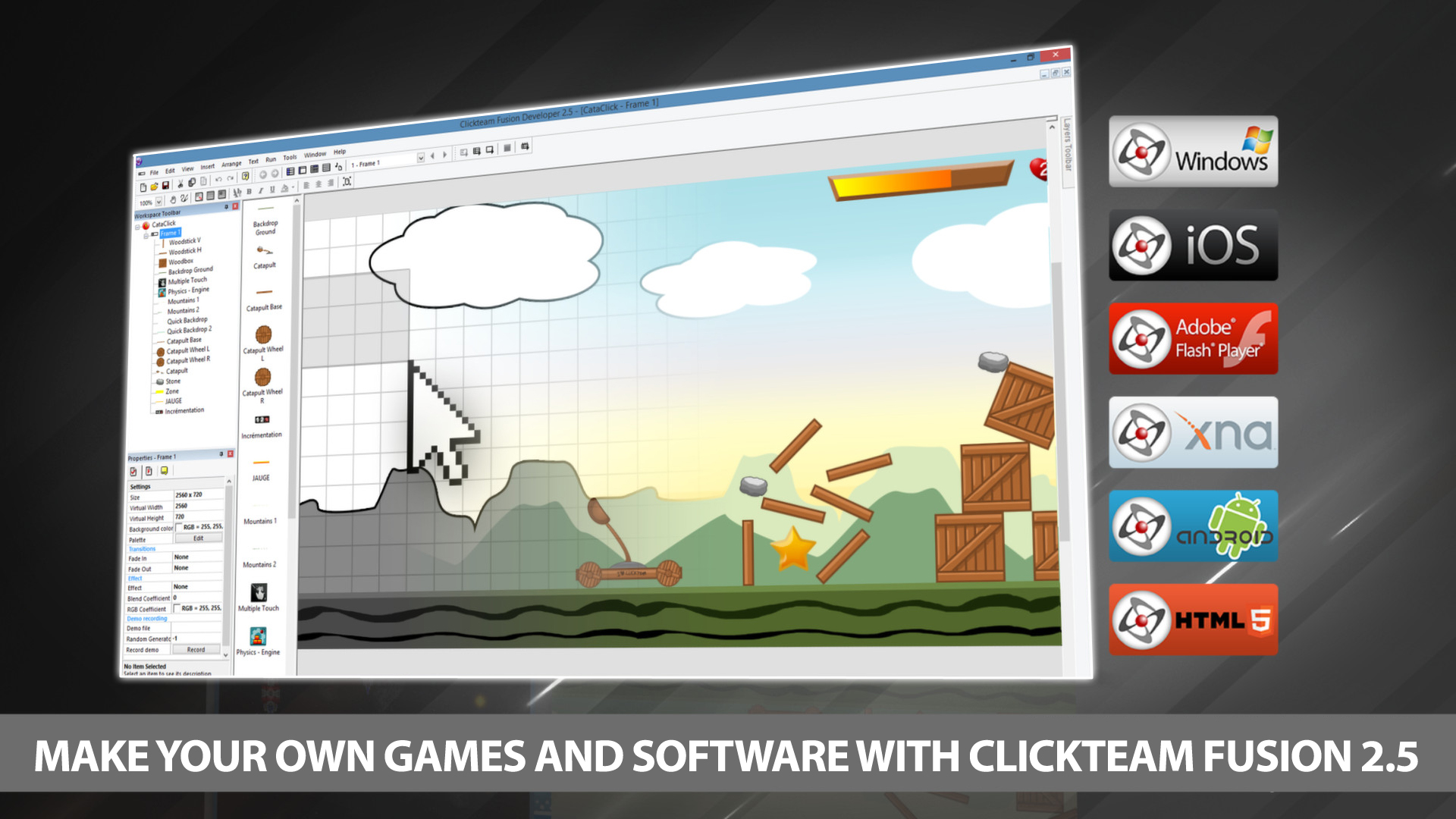
About HTML5 Exporter for Clickteam Fusion 2.5
I don't usually cover dev tools in this column, but this one lands on the Scout desk because it shows up alongside game bundles often enough that someone is going to click "is this worth it" before reading the fine print. So here's the honest version. This is a paid export module add-on for Clickteam Fusion 2.5, the no-code 2D game-creation tool that has been around since 2013. On its own it does nothing. It requires a full copy of Fusion 2.5 (Standard or Developer) as the base application, and its sole job is to compile your Fusion project into HTML5 output that runs in a Canvas-capable web browser. That output then needs to be hosted on an actual web server. You cannot open the exported index.html directly from your file system and expect anything to work, which is a genuine friction point for newcomers. The workflow itself is functional. You build inside Fusion using the visual event editor, hit Build and Run, and a local Lacewing-powered test server spins up in your browser so you can see the result immediately. That part is reasonably smooth. The problems start when your project uses extensions, which most non-trivial Fusion projects do. A number of extensions simply are not compatible with the HTML5 runtime, and they do not throw a hard error at compile time. What happens instead is that the extension code silently drops out of the exported file, so your project loads in the browser but behaves incorrectly or breaks in ways that are hard to trace without digging into the browser console. Community feedback has been consistently blunt on this: test and compile with the HTML5 target from the very beginning of your project, not after you have already built something complex, or you will hit nasty compatibility walls late in development. Also worth knowing: a limited version of this exporter ships bundled with all Fusion 2.5 installs from build 284 onward. That free tier caps you at three frames per application, a maximum of 100 backdrop objects and 30 other objects per frame, and no more than 150 events per frame. It also stamps a forced splash screen on every export. The paid module removes those restrictions and unlocks a broader set of supported object types. Additional HTML5-specific objects come with the paid version too, including Box2D physics objects, touch interface inputs for swipe and pinch gestures, an accelerometer object, and a location object for GPS access. If you are building for mobile browsers specifically, those extra objects matter. At the product level, the honest competitive picture is rough. Alternatives like Construct 3, GDevelop, and RPG Maker MV or MZ handle browser export as a first-class, built-in feature without a separate purchase, and their HTML5 runtimes have broader extension support. For a Fusion devotee who has an existing project and needs browser deployment, this module is the only path available within the ecosystem. For anyone starting fresh with browser publishing as a primary goal, the value proposition is harder to defend compared to tools where HTML5 is not an optional add-on.

Shooters
Tags
System Requirements
Minimum
- OS
- Minimum Windows XP SP3 Operating System. Supports Vista, 7 , 8 and Windows 10
- Memory
- 256 MB RAM
- Graphics
- Must support minimum of Direct3D 9
- Processor
- 200 Mhz Pentium processor or higher
Keep exploring
Community Discussion
Be the first to comment on HTML5 Exporter for Clickteam Fusion 2.5.
Reviews & Ratings
No ratings available
Game Info
- Developer
- Clickteam
- Publisher
- Clickteam
- Release Date
- Dec 27, 2013