
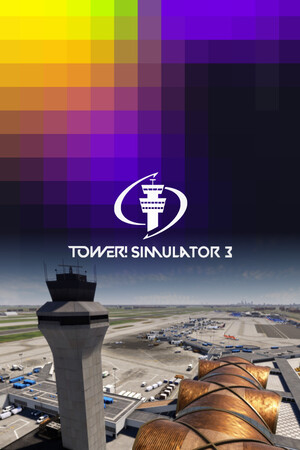
Tower! Simulator 3
Voice-command ATC simulation that rewards aviation obsessives but actively punishes anyone who skips the PDF manual and expects an in-game tutorial.
GamerScout Verdict
Built for aviation devotees who will read the manual; frustrating dead-end for anyone expecting a self-explanatory sim experience.
Compare Prices(2 stores)
We may earn a commission when you buy games through links on this page — at no extra cost to you. It never affects our rankings or verdicts.
Screenshots & Media
About Tower! Simulator 3
I have a soft spot for simulations that make you feel the weight of a real job, and Tower! Simulator 3 lands squarely in that category. You sit in a fully modelled 3D tower cab, radar strip in hand, responsible for every departure clearance, landing sequence, runway crossing, and taxi instruction across 11 included airports. The core loop is pure decision-queue management: aircraft call in, you respond with proper phraseology via voice command or keyboard, and the traffic either flows or it doesn't. At a quiet regional field it is meditative. At a busier hub during a rush window, you are juggling go-arounds, sequencing arrivals, and keeping ground traffic from blocking active runways simultaneously. That pressure is exactly what this niche wants. The voice recognition system is the headline feature and also the game's most contested element. It runs locally via an AI engine that interprets spoken ATC phraseology and generates AI pilot read-backs in real time. When it works, there is nothing else quite like it on PC. The problem is consistency: the engine struggles with non-standard callsigns, non-native English accents, and phrases like "taxi via" that real-world controllers use routinely. Some players report the system clicks into place once microphone levels and push-to-talk settings are dialled in properly. Others fall back on typed commands and find that approach increasingly tedious as traffic volume climbs at the larger airports. The honest answer is that your mileage will vary depending on your accent, your hardware, and your patience during the configuration phase. The progression structure starts you at smaller airports and gates larger hubs like LAX behind an experience requirement, which is a sensible difficulty ramp in principle. In practice, the lack of a coherent in-game tutorial is a real liability. FeelThere ships an onboarding PDF and maintains a YouTube playlist of tutorial videos, and both are genuinely necessary reading before your first session. A strategy-sim player like me is fine cracking open documentation, but this is not a title you can figure out by poking around menus. Newcomers who bounce off that friction wall early will leave negative reviews, and judging by the Steam score sitting at 68 percent positive from over a thousand reviews, plenty have done exactly that. The multiplayer and co-op mode, where controllers split ground and tower duties, is where the game finds its best form, splitting the cognitive load and making the simulation feel collaborative rather than lonely. The modding and DLC ecosystem is worth factoring into the buy decision. The base 11 airports range from novice single-runway fields to advanced international hubs, and FeelThere categorises DLC airports by difficulty tier from novice through expert. Community tools let you customise schedules, airline liveries, terminal layouts, and traffic databases, which meaningfully extends the shelf life for dedicated players. Multi-monitor support lets you spread radar, strip boards, and tower view across separate screens, which is the kind of setup detail that signals who this product was really built for. Post-launch, a major update released in mid-2026 has kept the active community engaged, and the forums show ongoing developer presence. If you are an aviation enthusiast, an aspiring controller, or someone who already spent hours on Tower!3D Pro, this is the most mechanically complete tower-level ATC simulator available on PC right now. It is not a casual sim you boot up and understand in twenty minutes. But for the audience it targets, the depth of traffic flow simulation, the realistic ATC procedures, and the co-op potential make the steep onboarding cost worth paying. Go in with the manual open, spend time on settings before judging the voice system, and you will find something that earns its difficulty.

Strategy & simulation
Tags
System Requirements
Minimum
- OS
- 64 bit Windows 8.1, Windows 10 or Windows 11
- Processor
- 3.5 Ghz
- Memory
- 8 GB RAM
- Graphics
- 4GB VRAM
- Network
- Broadband Internet connection
- Storage
- 20 GB available sp…
Recommended
- Processor
- 3.7 Ghz
- Memory
- 32 GB RAM
- Graphics
- 8GB VRAM
- Network
- Broadband Internet connection Stora…
Keep exploring
Community Discussion
Be the first to comment on Tower! Simulator 3.
Reviews & Ratings
Game Info
- Developer
- FeelThere
- Publisher
- FeelThere
- Release Date
- Dec 13, 2022