Home Design 3D
If you want to mock up a room renovation before swinging a sledgehammer, this is a serviceable starting point - just don't expect a precision tool or a deep sim.
GamerScout Verdict
Best for casual renovators who want a quick spatial mock-up tool, not a precision design suite or a deep simulation.
Compare Prices(8 stores)
Every store in this table quotes us in euros, so the EUR figure is the price the seller actually set, not our arithmetic — which is why EUR is also the currency we rank in. We only list an offer here when the store gives us its price in euros, so nothing in this table is a number we invented.
Pick USD, PLN, GBP, CAD or AUD in the header and we convert from EUR at the European Central Bank reference rate — converted amounts are prefixed with ~. Your bank or the store may apply a different rate at checkout. We never hide offers based on where you are: everyone sees this whole table.
We may earn a commission when you buy games through links on this page — at no extra cost to you. It never affects our rankings or verdicts.
Price History
Screenshots & Media
About Home Design 3D
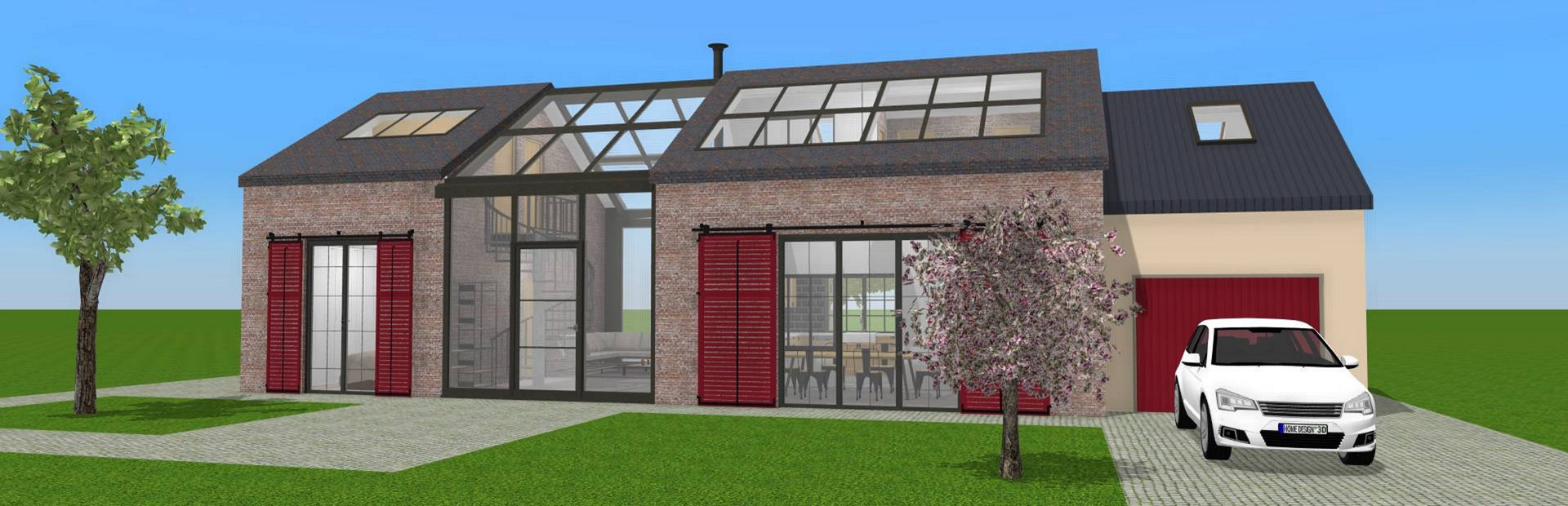
I keep a folder of city-layout spreadsheets on my desktop, so a floor-plan tool is not exactly outside my wheelhouse. My first honest impression of Home Design 3D is that it sits in an awkward middle ground: too simple to satisfy anyone with real architectural intent, but just accessible enough to let a curious homeowner sketch out a living-room reshuffle without calling a professional. That positioning is both its strength and its ceiling. The core workflow runs across two modes. In 2D, you draw walls, punch in doors and windows, adjust wall height and thickness, and carve out rooms. Flip to 3D and you get a real-time walkthrough of the result, with a day-and-night lighting toggle and a compass feature that shows where natural light will fall at different times of day. The furniture library is broad - thousands of items covering indoor and outdoor spaces - and everything is repositionable with drag-and-drop. A recent update added dormer windows and over 600 new textures, which is a meaningful content bump for a title that started showing its age. There is also a VR export option if you want to put on a headset and walk through your blueprint. Here is where the sim specialist in me has to flag the problems. Precise dimension input is the biggest one: the UI was clearly designed for touchscreen use first, and on PC you are often stuck clicking and dragging walls until you land somewhere close to your target measurement rather than typing an exact figure. That friction matters when you are trying to verify whether a sofa actually fits a specific alcove. Floor plan geometry can also get buggy at complex junctions, with textures flickering between layers when rooms share boundaries. The version tiering adds another wrinkle: multi-story builds and unlimited floors are gated behind the Gold Plus upgrade, so the base version will hit a wall (literally) faster than you expect. There is no mod ecosystem, no Steam Workshop support, and no meaningful community tools built into the PC client. Who is this actually for, then? Casual decorators who want to visualise furniture arrangements before moving heavy objects around a real room will get genuine value here. Parents looking for a low-stakes creativity tool for kids with an interest in architecture will also find it holds up. The interface, for all its PC-control friction, does click into place quickly once you spend fifteen minutes with the video tutorials - players who skip those tend to underrate the tool, because wall editing, balcony construction, and opening placement are features you simply will not discover by poking around blindly. If your bar is "can I get a rough spatial sense of my next renovation," the answer is yes. If your bar is "can I produce a dimensionally accurate floor plan I would hand to a contractor," look elsewhere - dedicated free tools like Sweethome 3D cover that ground with more precision and no paywalls.

Strategy & simulation
Tags
System Requirements
Minimum
- OS
- Windows/7/8/10
- Memory
- 6 GB RAM
- DirectX
- Version 11
- Graphics
- Intel HD 5000 / GeForce GTX 480 / Radeon HD 5450
- Processor
- Intel® Core™ 4th generation or higher / AMD Ryzen™
Keep exploring
Community Discussion
Be the first to comment on Home Design 3D.
Reviews & Ratings
No ratings available
Game Info
- Developer
- Anuman Interactive / Microids
- Publisher
- Anuman Interactive / Microids
- Release Date
- Nov 20, 2015